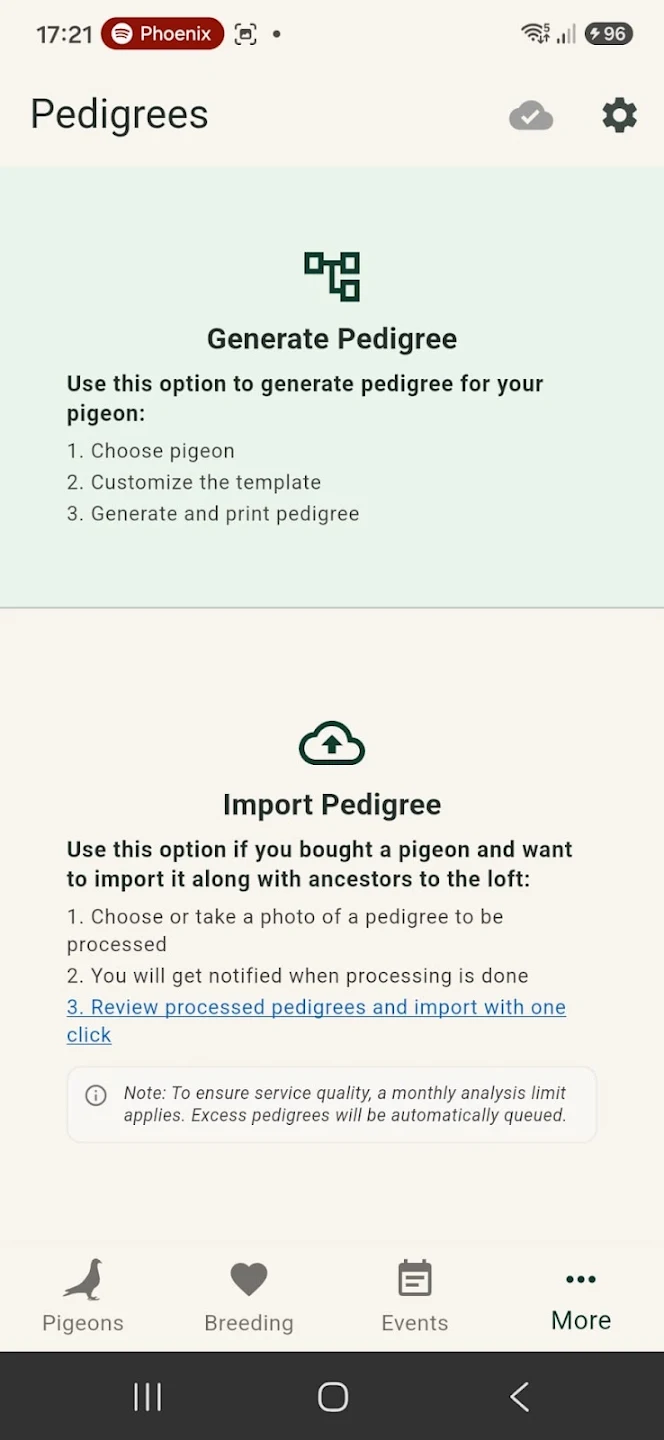
01Start with a photograph of a paper pedigree
Use the optional AI recognition workflow to process a pedigree image. Instead of typing every ring number and family relationship from scratch, LoftSync helps identify details on the document and prepare them for review.
- Use a photograph of an existing pedigree
- Recognize pedigree details with AI assistance
- Reduce repetitive manual entry
02Review information before importing
Pedigree documents vary in layout and quality. AI recognition can make mistakes, especially when text is faint or partially obscured. Review the recognized information and family links before you import it. The photograph is a starting point, not an unquestionable source of truth.
- Check rings and names against the original document
- Review parent relationships
- Confirm the recognized details before saving
03Explore generations from the pigeon record
Once pedigree information is connected to your pigeons, you can navigate ancestry from their records. This makes it easier to revisit a family history during pairing decisions or while discussing birds with another breeder. Your pedigree data stays part of your normal loft-management workflow.
- View connected ancestors and family lines
- Keep pedigree information with pigeon records
- Access the information on your phone in the loft
Ready to try LoftSync?
30 days to explore the app, with no payment details and no automatic charge.
Get LoftSync ↗